This virtual reality guide covers everything beginners need to know before diving into VR. Virtual reality has moved from science fiction to living rooms, gaming setups, and even workplaces. The technology creates immersive digital environments that users can see, hear, and interact with. Whether someone wants to play games, explore new worlds, or train for a profession, VR offers experiences that flat screens simply cannot match. This guide breaks down how virtual reality works, the types of headsets available, key features to consider, popular uses, and tips for getting the best experience.
Table of Contents
ToggleKey Takeaways
- Virtual reality creates immersive 3D environments using headsets, motion tracking, and spatial audio to make users feel present in digital spaces.
- VR headsets come in three types—standalone, tethered, and mobile—each suited to different budgets and use cases.
- When choosing a virtual reality headset, prioritize display resolution, refresh rate (90Hz+), field of view, and comfort for the best experience.
- VR extends beyond gaming into education, fitness, social interaction, real estate, and mental health therapy.
- New users should start with stationary experiences and take regular breaks to avoid motion sickness and eye strain.
- Keep your play space clear, adjust the headset properly, and maintain clean lenses to maximize immersion and safety.
What Is Virtual Reality and How Does It Work?
Virtual reality is a computer-generated simulation that places users inside a three-dimensional environment. Unlike watching a video or playing a traditional game, VR makes people feel like they are actually present in another space.
The technology works through a combination of hardware and software. A VR headset displays stereoscopic images, one slightly different image for each eye, which the brain interprets as depth. This creates a convincing 3D effect. Motion sensors track head movements, so when users look around, the virtual world responds in real time.
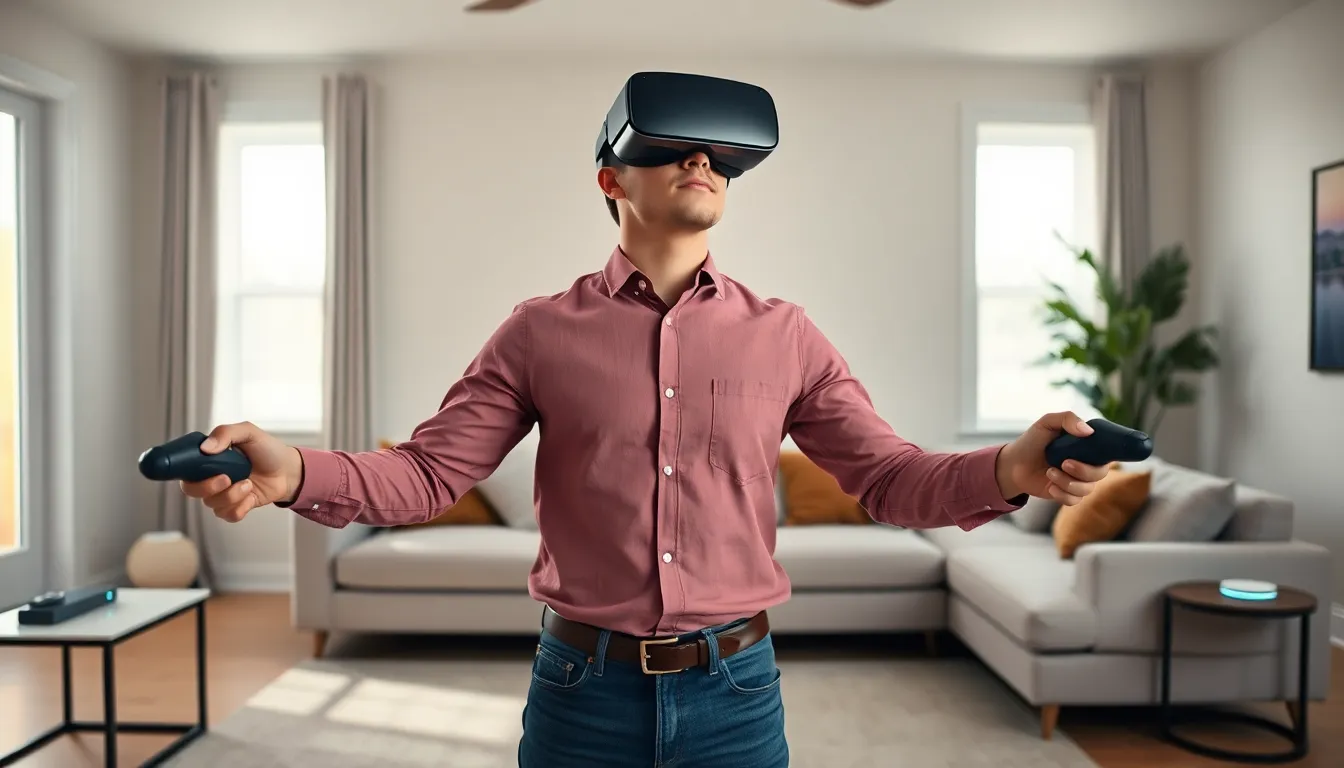
Many virtual reality systems also include hand controllers or gloves. These devices let users grab objects, push buttons, and interact with the digital environment. Some advanced setups add haptic feedback, which provides physical sensations like vibrations or resistance.
Audio plays a major role too. Spatial sound technology makes noises seem to come from specific directions, adding another layer of immersion. When someone hears footsteps behind them in VR, they instinctively turn around. That reaction shows how effective the illusion can be.
Types of VR Headsets and Devices
VR headsets fall into three main categories: standalone, tethered, and mobile.
Standalone Headsets
Standalone headsets contain all the necessary hardware inside the device. They don’t require a PC, console, or phone to operate. The Meta Quest 3 is a popular example. These headsets offer convenience and portability, though they may have less processing power than tethered options.
Tethered Headsets
Tethered headsets connect to a computer or gaming console via cable. The PlayStation VR2 and Valve Index belong to this category. Because they rely on external hardware, they can deliver higher-quality graphics and more complex virtual reality experiences. The tradeoff is less freedom of movement and higher overall cost.
Mobile VR
Mobile VR uses a smartphone inserted into a simple headset shell. Google Cardboard pioneered this approach. While affordable and accessible, mobile VR offers limited tracking and lower visual quality. It works well for casual experiences but falls short for serious gaming or professional use.
Each type serves different needs and budgets. Someone who wants quick setup and wireless play might prefer standalone. A PC gamer seeking the best graphics would lean toward tethered systems.
Essential Features to Consider Before Buying
Buying a virtual reality headset involves more than picking a brand. Several features affect how enjoyable and practical the experience will be.
Display Resolution: Higher resolution means sharper images and less of the “screen door effect” where users can see the gaps between pixels. Look for headsets with at least 1832 x 1920 pixels per eye.
Refresh Rate: This measures how many times the display updates per second. A 90Hz or higher refresh rate reduces motion blur and helps prevent motion sickness. Some virtual reality headsets now offer 120Hz for smoother visuals.
Field of View: A wider field of view creates a more immersive experience. Most headsets offer between 100 and 130 degrees. Anything below 100 degrees can feel like looking through binoculars.
Tracking: Inside-out tracking uses cameras on the headset to monitor position. Outside-in tracking uses external sensors placed around the room. Inside-out is simpler to set up, while outside-in can be more accurate.
Comfort: Weight, strap design, and face cushioning matter for longer sessions. A headset that feels fine for 10 minutes might become uncomfortable after an hour.
Content Library: The best hardware means nothing without games and apps. Check what titles are available for each platform before committing.
Popular Uses for Virtual Reality
Gaming remains the most common use for virtual reality. Titles like “Half-Life: Alyx” and “Beat Saber” show what VR gaming can achieve. Players don’t just control a character, they become the character, ducking behind cover, swinging weapons, and physically reaching for objects.
But virtual reality extends far beyond entertainment.
Education and Training: Medical students practice surgeries in VR before touching real patients. Pilots train in flight simulators. Factory workers learn equipment operation without safety risks. VR allows repeated practice in controlled environments.
Fitness: VR workouts have gained popularity because they make exercise feel like play. Boxing games, dance programs, and adventure fitness apps burn calories while keeping users engaged.
Social Experiences: Platforms like VRChat and Horizon Worlds let people meet in virtual spaces. Friends separated by thousands of miles can hang out in the same virtual room, play games together, or attend virtual concerts.
Real Estate and Design: Architects walk clients through buildings before construction begins. Real estate agents offer virtual property tours to buyers in other countries. Interior designers show furniture arrangements in 3D.
Therapy: Mental health professionals use VR for exposure therapy, helping patients confront phobias in safe, controlled settings. Veterans work through PTSD symptoms using specialized virtual reality programs.
Tips for Getting the Best VR Experience
A few practical steps can dramatically improve any virtual reality session.
Clear the Play Space: VR requires room to move. Remove furniture, pets, and other obstacles from the play area. Most headsets have guardian systems that warn users when they approach boundaries, but prevention works better than warnings.
Start Slow: New users should begin with stationary or seated experiences. Jumping straight into fast-paced action games can trigger motion sickness. The brain needs time to adjust to virtual environments.
Take Breaks: Sessions longer than 30 minutes can cause eye strain and fatigue. Step away regularly, drink water, and give the eyes time to focus on distant objects.
Adjust the Headset Properly: A poorly fitted headset causes blurry visuals and discomfort. Take time to adjust straps, interpupillary distance (the space between lenses matching eye spacing), and face padding.
Keep Lenses Clean: Smudged lenses ruin immersion. Use microfiber cloths designed for optics. Avoid household cleaners that can damage lens coatings.
Update Firmware and Software: Manufacturers regularly release updates that fix bugs and improve performance. Keep the virtual reality headset and its apps current.
Consider Accessories: Prescription lens inserts help glasses wearers. Controller grips improve handling during active games. A dedicated VR mat helps users stay oriented without looking down.