Learning how to virtual reality can feel overwhelming at first. The headsets look futuristic, the terminology sounds technical, and the options seem endless. But here’s the good news: getting started with virtual reality is simpler than most people think.
Virtual reality (VR) has moved from science fiction to everyday entertainment. Millions of users now explore virtual worlds, play immersive games, and even attend virtual meetings. The technology has become more affordable and user-friendly than ever before.
This guide breaks down everything beginners need to know. From understanding the basic technology to setting up a first VR system, each step is covered in plain language. By the end, anyone can confidently step into virtual reality and start exploring.
Table of Contents
ToggleKey Takeaways
- Getting started with virtual reality is simpler than most people think—standalone headsets like the Meta Quest 3 work right out of the box with minimal setup.
- Choose between standalone, PC-connected, or console VR systems based on your budget, desired visual quality, and convenience preferences.
- Ensure at least 6.5 by 6.5 feet of clear play space before using virtual reality to prevent real-world accidents.
- Start with short 15-20 minute sessions and beginner-friendly content like Beat Saber or Job Simulator to let your brain adjust.
- Use teleportation movement instead of smooth locomotion in your first virtual reality experiences to avoid motion sickness.
- Take breaks immediately if you feel nausea or dizziness—most people fully adapt to VR within a few sessions.
Understanding Virtual Reality Technology
Virtual reality creates a computer-generated environment that users can interact with. A VR headset covers the eyes and displays 3D images. Sensors track head movements, so the virtual world responds when users look around. This creates the feeling of actually being inside the digital space.
The technology works through a few key components. Display screens sit close to the eyes, one for each eye. This creates depth perception and makes objects appear three-dimensional. Motion tracking follows the position and rotation of the headset. Some systems also track hand controllers or even full body movements.
There are different types of virtual reality systems available today:
- Standalone VR headsets operate independently without a computer or phone. The Meta Quest 3 and Quest 2 fall into this category. They offer convenience and portability.
- PC-connected VR headsets plug into a gaming computer. Examples include the Valve Index and HTC Vive. These typically deliver higher visual quality but require more equipment.
- Console VR systems connect to gaming consoles. The PlayStation VR2 works with the PlayStation 5.
Each type of virtual reality system has trade-offs between price, quality, and convenience. Standalone headsets cost less and require no additional hardware. PC VR offers better graphics but needs an expensive computer. Console VR sits somewhere in between.
Understanding these basics helps beginners make informed decisions about which virtual reality path to take.
Essential VR Equipment You Need
The most important piece of virtual reality equipment is the headset itself. For most beginners, a standalone headset like the Meta Quest 3 offers the best balance of price and features. It costs around $500 and works right out of the box.
Beyond the headset, several accessories improve the virtual reality experience:
Controllers come included with most VR systems. They let users grab objects, press buttons, and interact with virtual environments. Some games support hand tracking instead, which uses cameras to follow finger movements.
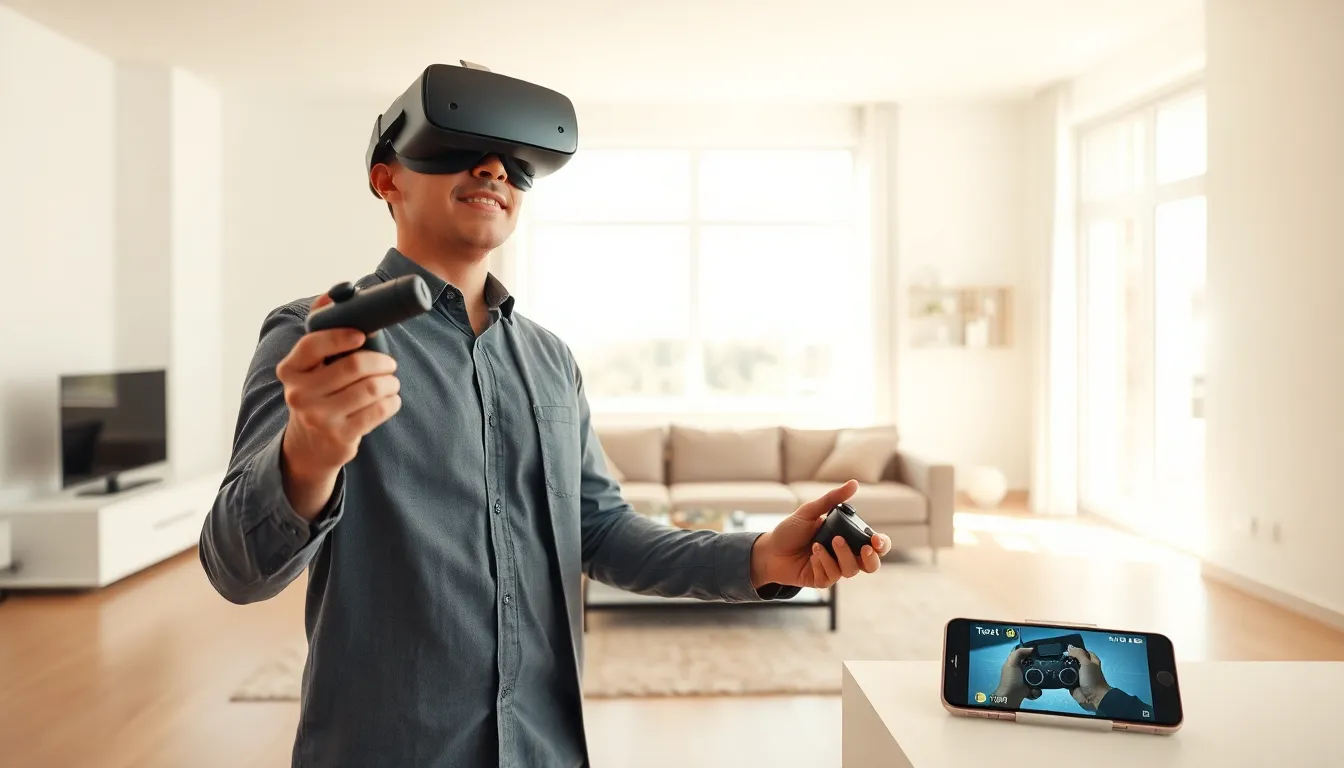
A play space matters more than people expect. Virtual reality works best with at least 6.5 feet by 6.5 feet of clear floor space. Users move around physically, so furniture and obstacles create real safety concerns.
Comfortable head straps make longer sessions enjoyable. Many headsets ship with basic straps that put pressure on the face. Aftermarket straps distribute weight better and reduce discomfort.
Prescription lens inserts help users who wear glasses. Standard VR headsets can accommodate some glasses, but lens inserts provide clearer vision and more comfort.
For PC-connected virtual reality, a capable computer is essential. Minimum requirements typically include:
- Graphics card: NVIDIA GTX 1060 or better
- Processor: Intel i5-4590 or AMD equivalent
- RAM: 8GB or more
- USB ports: At least one USB 3.0 port
Beginners should start with basic equipment and add accessories over time. The headset and controllers handle most virtual reality experiences. Everything else enhances comfort but isn’t strictly necessary on day one.
Setting Up Your VR System
Setting up virtual reality equipment takes about 15-30 minutes for most systems. The process varies by headset type, but the general steps remain similar.
Standalone Headset Setup
Standalone VR headsets have the simplest setup process:
- Charge the headset fully before first use
- Download the companion app on a smartphone
- Create or sign into an account
- Put on the headset and follow on-screen instructions
- Define the play area boundary by walking its edges
The boundary system, often called a guardian or play space, shows virtual walls when users approach real obstacles. This prevents accidents during virtual reality sessions.
PC VR Setup
PC-connected virtual reality requires more steps:
- Install the VR software on the computer (SteamVR, Oculus PC app, etc.)
- Connect the headset via USB and display cables
- Set up any external sensors or base stations if required
- Calibrate the play space through the software
- Update firmware and drivers as prompted
Base stations, used by systems like the Valve Index, need to be mounted in opposite corners of the play area. They should sit above head height and angle down toward the center of the space.
Adjusting the Headset
Proper headset adjustment affects both comfort and visual quality. Users should:
- Loosen all straps before putting on the headset
- Position the lenses directly in front of the eyes
- Adjust the interpupillary distance (IPD) to match eye spacing
- Tighten straps until the headset feels secure but not tight
A well-adjusted virtual reality headset shows sharp images with no blurring at the edges. If text appears fuzzy, the headset position or IPD setting likely needs adjustment.
Tips for Your First Virtual Reality Experience
First-time virtual reality users often make predictable mistakes. A few simple tips prevent discomfort and frustration.
Start with short sessions. Fifteen to twenty minutes is plenty for a first virtual reality experience. The brain needs time to adjust to the disconnect between what the eyes see and what the body feels. Longer sessions can cause motion sickness in beginners.
Choose beginner-friendly content. Many VR platforms include introductory experiences designed for new users. These teach basic controls and interactions without overwhelming movement. Beat Saber, Job Simulator, and First Steps are excellent starting points.
Sit down for early experiences. Standing virtual reality feels more immersive, but sitting reduces motion sickness risk. Once comfortable, users can transition to standing and room-scale experiences.
Avoid smooth locomotion at first. Some VR games move the player smoothly through virtual space using a thumbstick. This triggers motion sickness in many people. Teleportation movement, where users point and jump to locations, causes less discomfort.
Take breaks immediately if feeling unwell. Nausea, dizziness, or eye strain signal that the body needs a break. Pushing through these symptoms makes them worse and creates negative associations with virtual reality.
Keep water nearby. VR sessions can be surprisingly physical. Users often don’t notice how much they’re moving or sweating until they remove the headset.
Clear the play area completely. Coffee tables, pets, and loose cables cause real injuries. Virtual reality users can’t see their surroundings, so the space must be safe before putting on the headset.
Most people adapt to virtual reality within a few sessions. The initial strangeness fades, and VR starts to feel natural.