Virtual reality for beginners can feel overwhelming at first glance. The technology has advanced rapidly, and the options available today range from budget-friendly headsets to high-end systems. This guide breaks down everything new users need to know. Readers will learn what VR is, how it works, which headsets fit their needs, and what equipment they should buy. They’ll also get practical tips for their first immersive experience. Whether someone wants to game, explore virtual worlds, or use VR for fitness, this article provides a clear starting point.
Table of Contents
ToggleKey Takeaways
- Virtual reality for beginners is most accessible with standalone headsets like the Meta Quest 3, which require no PC or console to get started.
- VR works by displaying stereoscopic 3D images while tracking head and hand movements to create an immersive experience.
- A clear play space of at least 6.5 by 6.5 feet is essential to safely enjoy VR without hitting obstacles.
- New users should start with 15–20 minute sessions and beginner-friendly apps like Beat Saber to avoid motion sickness.
- Comfort accessories like elite straps and prescription lens inserts can significantly improve longer VR sessions.
- VR offers diverse experiences beyond gaming, including fitness apps, virtual museums, and social spaces worth exploring.
What Is Virtual Reality and How Does It Work?
Virtual reality creates a simulated environment that users can explore and interact with. Unlike traditional screens, VR places users inside the experience. They can look around, move, and often manipulate objects as if they were physically present in a digital space.
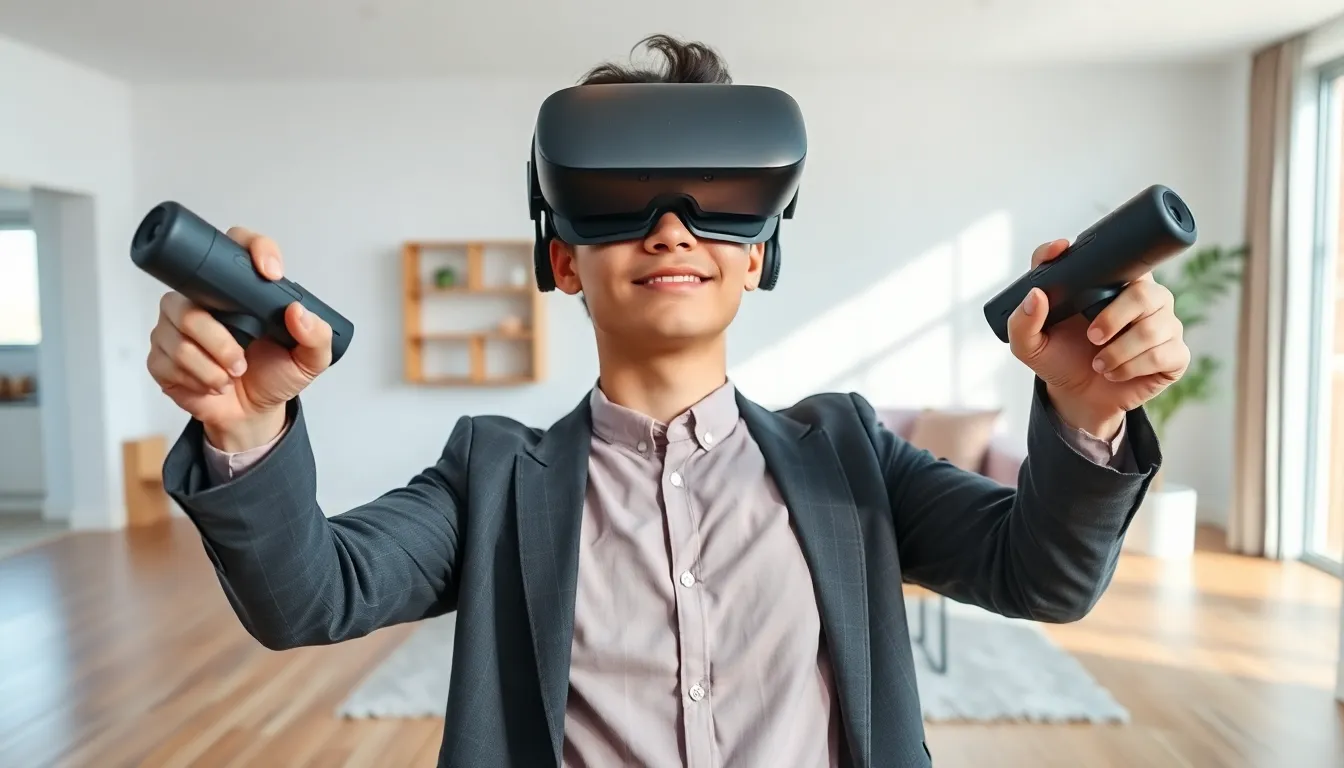
The technology relies on a few key components. A VR headset covers the user’s eyes and displays two slightly different images, one for each eye. This creates a stereoscopic 3D effect that mimics natural depth perception. Motion sensors track head movements in real time, updating the display so the virtual world responds to where users look.
Many VR systems also include controllers that track hand movements. These let users grab items, press buttons, or gesture within applications. Some advanced setups use external sensors or cameras placed around a room to track full-body movement.
The result is immersion. Users feel present in the virtual environment rather than just watching it on a screen. This makes virtual reality for beginners an exciting technology to explore. Games become more engaging. Training simulations feel realistic. Social experiences gain a new dimension when users can see avatars of friends and interact naturally.
Audio plays an important role too. Spatial sound adjusts based on where virtual objects are located. If something happens to a user’s left, they hear it from that direction. Combined with visual tracking, this creates a convincing sense of place.
Types of VR Headsets for Beginners
Choosing the right headset matters. Each type offers different features, price points, and requirements.
Standalone VR Headsets
Standalone headsets work without external hardware. They contain built-in processors, storage, and batteries. Users simply put them on and start using them.
The Meta Quest 3 is a popular choice for virtual reality for beginners. It offers solid performance, a growing library of apps, and wireless freedom. Setup takes minutes. No PC or gaming console is required.
Standalone headsets suit users who want simplicity. They’re portable and easy to share with friends or family.
PC-Connected VR Headsets
These headsets connect to a gaming PC. They rely on the computer’s processing power to deliver higher-quality graphics and more detailed environments.
Options include the Valve Index, HP Reverb G2, and various models from HTC. These systems appeal to users who already own capable gaming PCs and want the best visual fidelity.
The downside is cost. Users need both the headset and a PC that meets specific requirements. Cables can also limit movement, though some models support wireless adapters.
Console VR Headsets
Sony’s PlayStation VR2 connects to the PlayStation 5. It provides a premium VR experience for console gamers who don’t want to build or buy a PC.
This option works well for people already invested in the PlayStation ecosystem. The library includes exclusive titles not available elsewhere.
Which Should Beginners Choose?
For most people exploring virtual reality for beginners, standalone headsets offer the best balance. They’re affordable, require no additional hardware, and work right out of the box. Users who later want more power can often connect standalone devices to a PC for enhanced experiences.
Essential Equipment You Need to Get Started
Beyond the headset itself, a few additional items improve the VR experience.
Controllers
Most headsets include controllers. These handheld devices let users interact with virtual environments. They typically feature buttons, triggers, and thumbsticks. Before buying a headset, users should confirm controllers are included or budget for them separately.
Play Space
VR requires physical room. Users need a clear area where they can move without hitting furniture, walls, or other people. A minimum of 6.5 feet by 6.5 feet works for most games, though more space is better.
Clearing the play area prevents accidents. Users should remove tripping hazards like cables, rugs, or toys.
Comfortable Accessories
Stock headset straps work, but aftermarket options often fit better. Elite straps distribute weight more evenly across the head. This reduces pressure on the face during longer sessions.
Prescription lens inserts help users who wear glasses. They attach directly to the headset, eliminating the need to wear eyeglasses underneath.
Charging Solutions
Standalone headsets run on batteries. Sessions typically last two to three hours before recharging is needed. A charging dock keeps the headset ready for use. Some users buy extended battery packs that attach to the headstrap.
Audio Options
Built-in speakers work fine for casual use. But, headphones deliver better sound isolation and audio quality. Many users prefer earbuds or over-ear headphones designed for VR.
These items help beginners get the most from their virtual reality setup.
Tips for Your First VR Experience
Starting with VR can cause unexpected sensations. These tips help beginners adjust smoothly.
Start with Short Sessions
New users should limit initial sessions to 15–20 minutes. VR can cause motion sickness, especially in games with artificial movement. Shorter sessions let the brain adjust gradually. Users can increase duration as they become comfortable.
Choose Beginner-Friendly Apps
Some VR experiences suit newcomers better than others. Apps where users stay stationary or move slowly are easier to handle. Beat Saber, Job Simulator, and First Steps tutorials are good starting points for virtual reality for beginners.
Avoiding fast-paced shooters or racing games at first reduces the chance of discomfort.
Adjust the Headset Properly
A loose or misaligned headset causes blurry visuals and discomfort. Users should tighten straps until the display sits clearly in front of their eyes. Most headsets include IPD (interpupillary distance) adjustment to match the user’s eye spacing.
Keep a Fan Running
VR headsets trap heat around the face. A fan pointed at the play area helps users stay cool and reduces sweat buildup inside the headset.
Take Breaks When Needed
If dizziness, nausea, or eye strain occurs, users should stop immediately. Pushing through discomfort makes symptoms worse. Most people adapt within a few sessions.
Explore Different Content
VR offers more than games. Users can watch 360-degree videos, visit virtual museums, exercise with fitness apps, or socialize in virtual spaces. Trying different content helps beginners discover what they enjoy most.