Virtual reality tips can transform a frustrating first experience into something genuinely exciting. VR technology has matured significantly, but jumping in without preparation often leads to motion sickness, blurry visuals, or worse, a broken TV from flailing arms. This guide covers the practical steps new and intermediate users need to set up their space, avoid discomfort, and find great content. Whether someone just unboxed a Meta Quest 3 or is trying to get more from an existing headset, these virtual reality tips will help maximize enjoyment while staying safe.
Table of Contents
ToggleKey Takeaways
- Set up a clear play space of at least 6.5 x 6.5 feet with even lighting and draw your guardian boundary about a foot inside walls and furniture for safety.
- Combat motion sickness by starting with stationary VR experiences, limiting sessions to 15-20 minutes, and using a fan for physical reference.
- Properly adjust your headset’s IPD (interpupillary distance) setting to match your eyes, preventing eye strain, blurriness, and headaches.
- Follow essential virtual reality tips like securing controller straps, taking breaks every 30 minutes, and staying hydrated during active sessions.
- Begin with beginner-friendly games like Beat Saber, Superhot VR, or Job Simulator before progressing to locomotion-heavy experiences.
- Most users develop “VR legs” and overcome initial motion sickness within 2-3 weeks of consistent short sessions.
Setting Up Your VR Space Properly
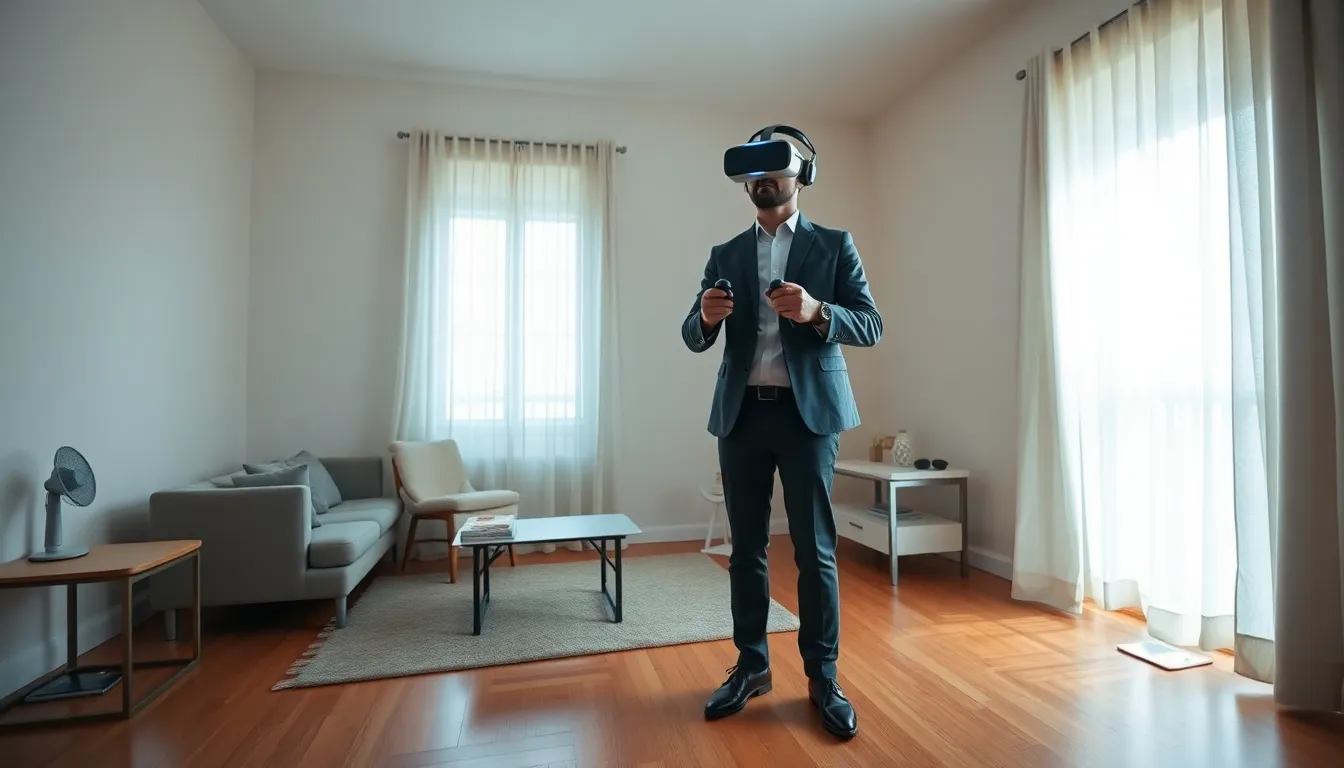
A proper play space makes or breaks the VR experience. Most standalone headsets need a minimum of 6.5 feet by 6.5 feet of clear floor space for room-scale experiences. PC-connected systems like the Valve Index may require even more room for full movement.
Start by removing furniture, rugs with edges that catch feet, and anything fragile. Coffee tables are the number one casualty of enthusiastic Beat Saber sessions. Ceiling fans pose a real danger too, many users have learned this the hard way.
Lighting matters more than people expect. Most headsets use inside-out tracking, which relies on cameras to map the environment. Dim rooms confuse tracking systems. Bright windows create glare problems. Aim for even, moderate lighting without direct sunlight hitting the play area.
The guardian or boundary system exists for good reason. Take time to draw an accurate boundary that accounts for arm reach. A good virtual reality tip: set the boundary about a foot inside the actual walls and furniture. This buffer prevents accidental punches to drywall.
For seated VR experiences, a swivel chair without arms works best. Fixed chairs limit movement and create tangling hazards with tethered headsets. Keep water nearby, VR sessions get warm fast.
Preventing Motion Sickness and Discomfort
Motion sickness remains the biggest barrier to VR enjoyment. About 40-70% of new users experience some discomfort during their first sessions. The good news? Most people adapt within a few weeks of regular use.
The brain gets confused when eyes see movement but the inner ear doesn’t detect it. This mismatch triggers nausea. Smooth locomotion games, where characters glide through environments, cause the most problems. Teleportation movement systems exist specifically to reduce this issue.
Here are proven virtual reality tips for reducing motion sickness:
- Start with stationary experiences. Beat Saber, Job Simulator, and Superhot VR keep players in one spot.
- Limit sessions to 15-20 minutes initially. Stop immediately at first signs of discomfort.
- Use a fan pointed at your face. The airflow provides a physical reference point and keeps things cool.
- Avoid VR on an empty or overly full stomach. Light snacks work best.
- Ginger supplements or candies help some users. They’re worth trying.
Never push through nausea. This creates negative associations and can make future sessions worse. The body needs time to build what enthusiasts call “VR legs.” Most people develop tolerance within 2-3 weeks of consistent short sessions.
Turning with the body instead of using joystick rotation also reduces discomfort significantly. Physical turning maintains the connection between visual and vestibular input.
Optimizing Your VR Headset for Comfort and Clarity
A poorly fitted headset ruins immersion. Every VR headset requires adjustment to match individual face shapes and eye spacing.
IPD (interpupillary distance) adjustment is critical. This setting aligns the lenses with the user’s eyes. Most adults have an IPD between 60-68mm. Getting this wrong causes eye strain, blurriness, and headaches. Many headsets include physical sliders or software settings for IPD adjustment.
Strap tension requires a balance. Too loose and the headset bounces during movement. Too tight creates pressure headaches within minutes. The sweet spot holds the display steady without squeezing. Weight should rest on the forehead and back of the head, not the cheeks or nose.
These virtual reality tips improve visual clarity:
- Clean lenses with microfiber cloths only. Paper products scratch optical coatings.
- Adjust render resolution in software settings. Higher resolution improves sharpness but demands more processing power.
- Check for lens fog. Let the headset warm up before use in cold rooms.
- Consider prescription lens inserts. Glasses create discomfort and risk scratching the lenses.
Aftermarket accessories often improve comfort dramatically. Third-party head straps, facial interfaces, and counterweights address common complaints about stock configurations. The BoboVR and KIWI design brands offer popular upgrades for Meta Quest headsets.
Staying Safe While Using Virtual Reality
VR creates unique safety concerns that traditional gaming doesn’t share. Users literally can’t see the real world while immersed.
Physical safety comes first. Always use the guardian system. Check the play space before each session, pets and children wander into danger zones. Some users attach a small rug to the center of their play area as a tactile reference point for position.
These virtual reality tips address common safety issues:
- Secure the controller straps. Thrown controllers break TVs and injure bystanders.
- Take breaks every 30 minutes. Eye strain and fatigue build up faster than users realize.
- Stay hydrated. Active VR burns calories and raises body temperature.
- Be aware of cord management with tethered headsets. Ceiling-mounted pulley systems prevent tripping.
Cybersecurity matters in social VR spaces. Platforms like VRChat and Rec Room connect users with strangers. Parents should supervise children and understand platform privacy settings. Personal information sharing carries real risks.
Hearing also deserves attention. VR headphones placed close to eardrums at high volumes for extended periods damage hearing. Keep volume at moderate levels, especially during longer sessions.
Recommended VR Apps and Games for Beginners
Choosing the right first experiences makes a huge difference. Some games throw new users into intense action immediately, that’s usually a mistake.
Best stationary games for beginners:
- Beat Saber – Rhythm game with lightsaber-style controllers. Intuitive and addictive.
- Superhot VR – Time moves only when the player moves. Reduces motion sickness while feeling cinematic.
- Job Simulator – Silly workplace simulation. Great for learning VR interactions.
- Pistol Whip – Combines rhythm gaming with shooting. More active than Beat Saber.
Experiences that showcase VR’s potential:
- Google Earth VR – Fly anywhere on the planet. Use comfort settings for locomotion.
- Walkabout Mini Golf – Relaxed multiplayer minigolf across creative courses.
- Half-Life: Alyx – The benchmark for VR gaming (requires PC and strong stomach for locomotion).
Free options exist too. Meta Quest users get First Steps and First Contact as tutorials. These virtual reality tips about game selection help: read reviews specifically mentioning comfort options before purchasing. Many games include teleportation toggles and vignette settings that reduce motion sensitivity.
Start with shorter experiences. A 15-minute session of Beat Saber teaches more about VR comfort than an hour of reading guides.